Most bad AI Halloween images come from a vague prompt. Halloween witch, scary costume or spooky portrait gives the model too many choices. A good prompt narrows the costume, the lighting, the camera and the boundaries in one pass.
This is a copy-ready library of Halloween AI prompts for selfies, costumes, pets, couples and short video. Each prompt is written as an editing instruction: what to preserve, what to change, how to light the scene and what to avoid. Every entry includes a real example image.
Written and tested by the Text to PSD product teamStandard image: 8 credits · Browser tools are free
Every example on this page was generated with GPT Image 2 using the same look described in the prompt. Example images are not customer photos.
Looks you can generate
The prompts below use a simple structure you can reuse: preserve identity, describe the costume, describe the scene and light, name the camera style, then list the negatives. Copy one as-is or swap a single detail to make it yours.
Pumpkin Pet
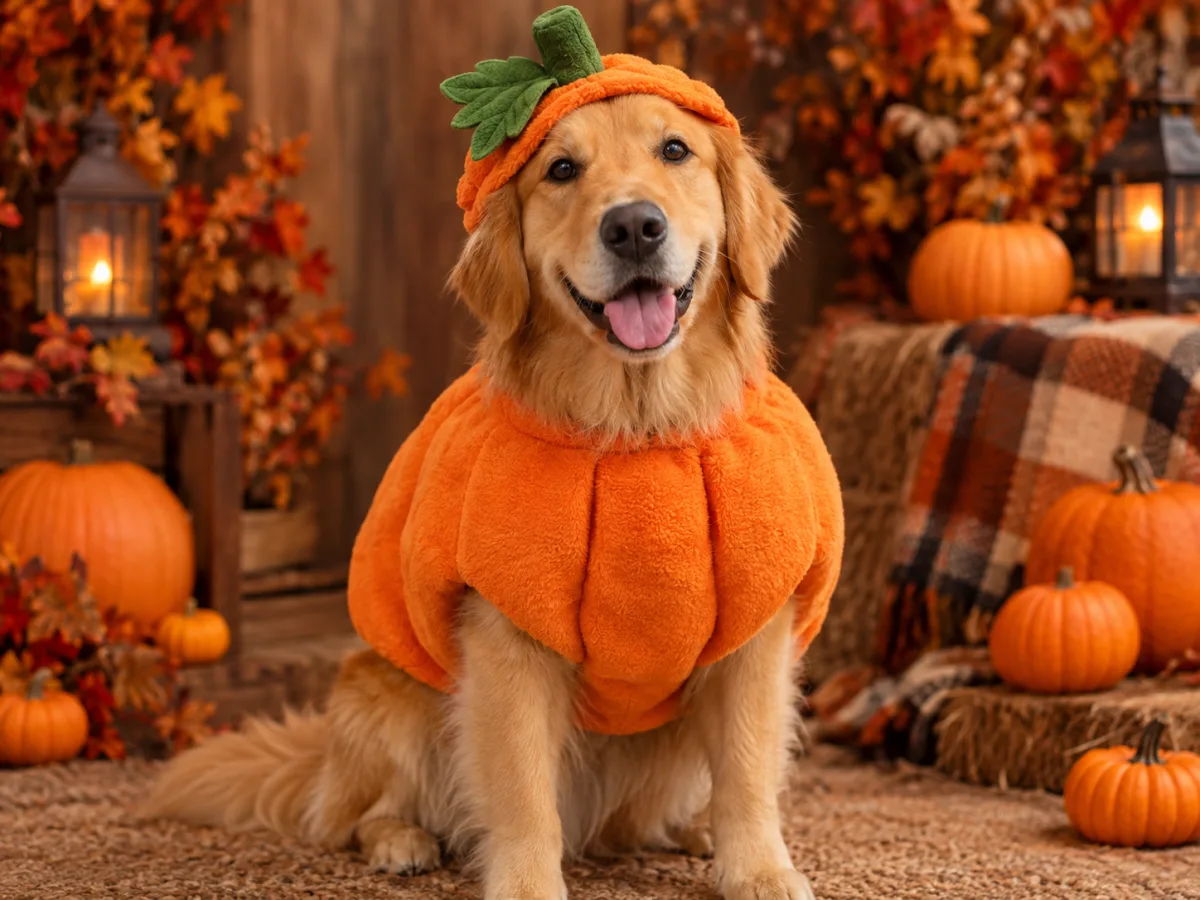
A pet portrait prompt that keeps the breed, fur pattern and eye color while adding a soft pumpkin costume and a warm studio scene.
Prompt recipe
Copy this prompt, open the workspace, upload your photo, and paste it into the prompt field.
Use the uploaded pet photo as the primary reference. Preserve the animal's original breed, fur color, distinctive markings, eye color, facial appearance and natural anatomy. Dress the pet in a soft pumpkin-inspired Halloween costume with a small green leaf accessory. Keep the costume fitted naturally without covering the animal's eyes or changing its species. Place the pet in a cozy autumn photography studio with warm lighting and miniature pumpkins. Create a photorealistic professional pet portrait with realistic fur texture and natural shadows. Avoid extra animals, unnatural paws, duplicated limbs, text and watermarks.
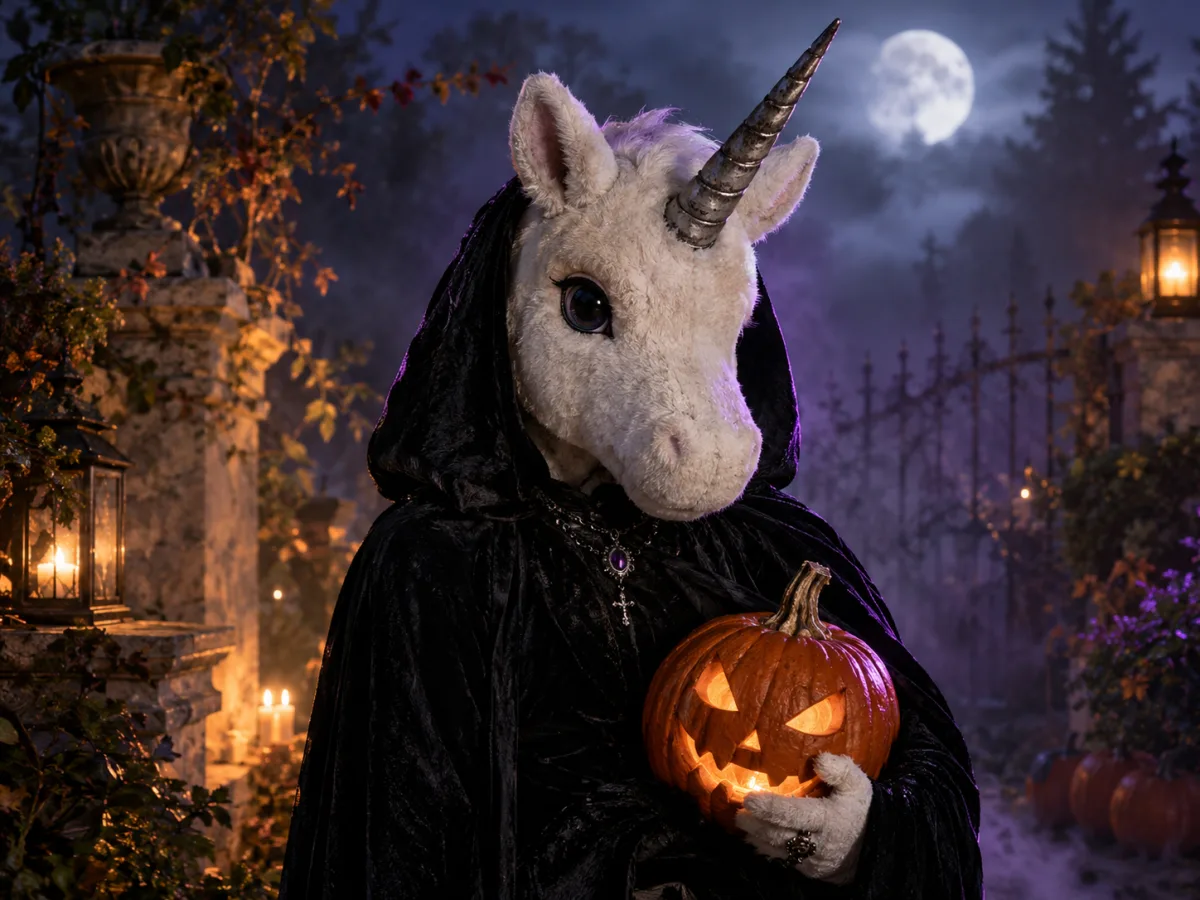
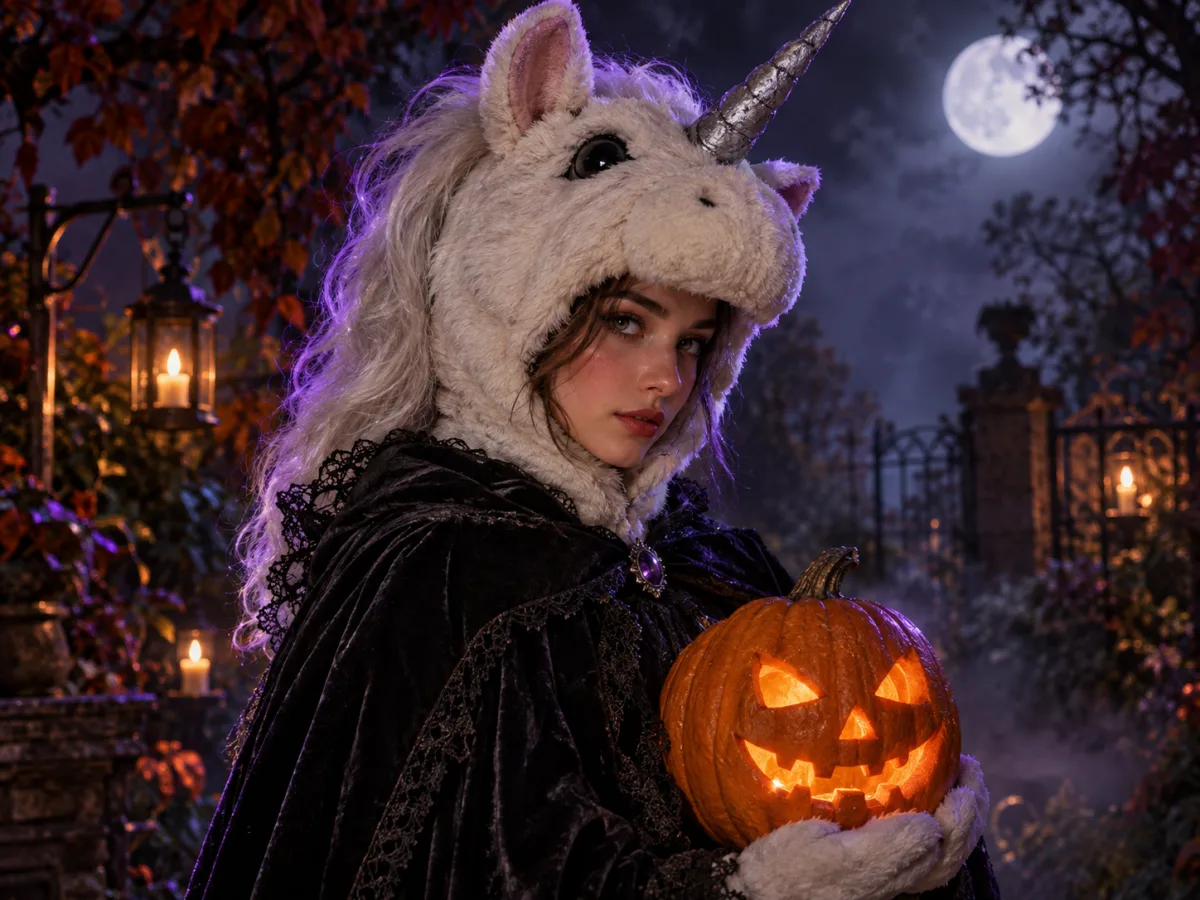
An original mascot-horror portrait prompt with a plush unicorn head, a black cloak and a foggy moonlit garden.
Prompt recipe
Copy this prompt, open the workspace, upload your photo, and paste it into the prompt field.
Create an original haunted unicorn mascot Halloween portrait from the uploaded photo. Preserve the person's recognizable face and natural proportions. Add a plush off-white unicorn mascot head with a single weathered silver horn, a black velvet cloak and subtle gothic jewelry. Keep the costume clearly wearable and human-scale. Place the subject in a foggy moonlit garden with carved pumpkins and warm lantern light. Use cinematic editorial photography, realistic fur and fabric textures, soft purple rim light and a shallow depth of field. This is an original character inspired by the 2026 mascot-horror trend, not an official film character. Avoid logos, text and watermarks.
A pet prompt needs a pet photo. A couple prompt needs two clear faces. Choose the prompt closest to the source image you have.
Step 2
Copy and paste
Copy the full prompt, open the image workspace, upload your photo and paste. Do not shorten the identity-preservation sentence.
Step 3
Change one detail at a time
Swap the costume color, the background or the lighting, then re-run. One change per pass gives you a clear comparison.
The five-part prompt structure
Part one preserves identity: face, skin tone, age and body proportions. Part two describes the costume and hair. Part three sets the scene and the light. Part four names the photography style. Part five lists what to avoid.
This structure works across models because it separates the things that must stay from the things that may change. When a result goes wrong, you can usually trace it to a missing part rather than a bad model.
Preserve: face, skin tone, age, proportions, number of people
Style: editorial photography, 85mm lens, cinematic rim light
Avoid: extra fingers, distorted anatomy, text, logos, watermarks
Prompt patterns for common Halloween requests
For a costume preview, use an edit prompt and keep the pose. For a new character, use a text-to-image prompt and describe the person from scratch. For a couple, state exactly two people and describe each costume separately. For a pet, name the breed, fur pattern and eye color before the costume.
For video, switch the structure from description to motion. Preserve the first frame, then describe the head, hair, clothing, background and camera in that order. Keep the motion small.
Negative prompts that actually help
The most useful negatives are the ones that fix a specific failure: extra fingers, duplicated limbs, distorted hands, changed facial identity, text, logos and watermarks. Generic negatives such as ugly or bad quality do less than a precise constraint.
If the model keeps adding a second person, add keep exactly one person. If the face keeps changing, repeat the identity sentence at the end of the prompt. Repetition at the end carries more weight than you might expect.
How to adapt a prompt without breaking it
Change nouns, not structure. Swap velvet for leather, violet for emerald, garden for greenhouse. Keep the preserve and avoid sections intact. That gives you a new look while keeping the identity and quality controls that made the first result work.
If you change the scene completely, also change the lighting direction. A moonlit garden and a neon studio need different light language. Matching the light to the scene is the fastest way to make a new prompt look intentional.
Who it is for
Getting a reliable first result instead of guessing
Learning a reusable prompt structure for other holidays
Making pet, couple and solo portraits from one system
Adapting an image prompt into a video prompt
Frequently asked questions
Are these prompts free to use?
Yes. Copy them, edit them and use them in your own generations. You do not need to credit this page. Do not resell the prompt library as a standalone product.
Which model should I use?
The prompts are written for modern image-editing models that accept a reference photo. The workspace shows the available models and credit cost before you generate. Start with the default and compare one alternative if the identity drifts.
Why does my result look different from the example?
Your source photo, the model version and the aspect ratio all affect the result. The examples use the same prompt but a different source image. Match the framing and lighting of your photo to the example for a closer result.
Can I use these prompts for video?
The image prompts describe a still scene. For video, use the motion prompts on the Halloween AI video generator page or rewrite the scene description as a list of movements.
Do prompts work in other languages?
Most image models are trained mainly on English. Keep the prompt in English for the best result, even if the rest of the page is in your language.
How do I avoid a plastic AI look?
Ask for realistic skin texture, natural shadows and a specific lens. Avoid words like perfect, flawless or smooth. Keep a little imperfection in the hair and fabric.
Use a photo of yourself or one you have permission to use. Do not upload images of other people without consent.