Image generatorUpdated Oct 20, 2026

AI Halloween Costume Generator

Most Halloween decisions are made in a store mirror, under bad lighting, with a queue behind you. This page is the opposite: one photo, a few original costume directions, and a result in about a minute. You can compare looks before spending money on a costume you may wear once.

  • Browse without signing up
  • Credit costs are shown before you generate
  • Works on desktop and mobile
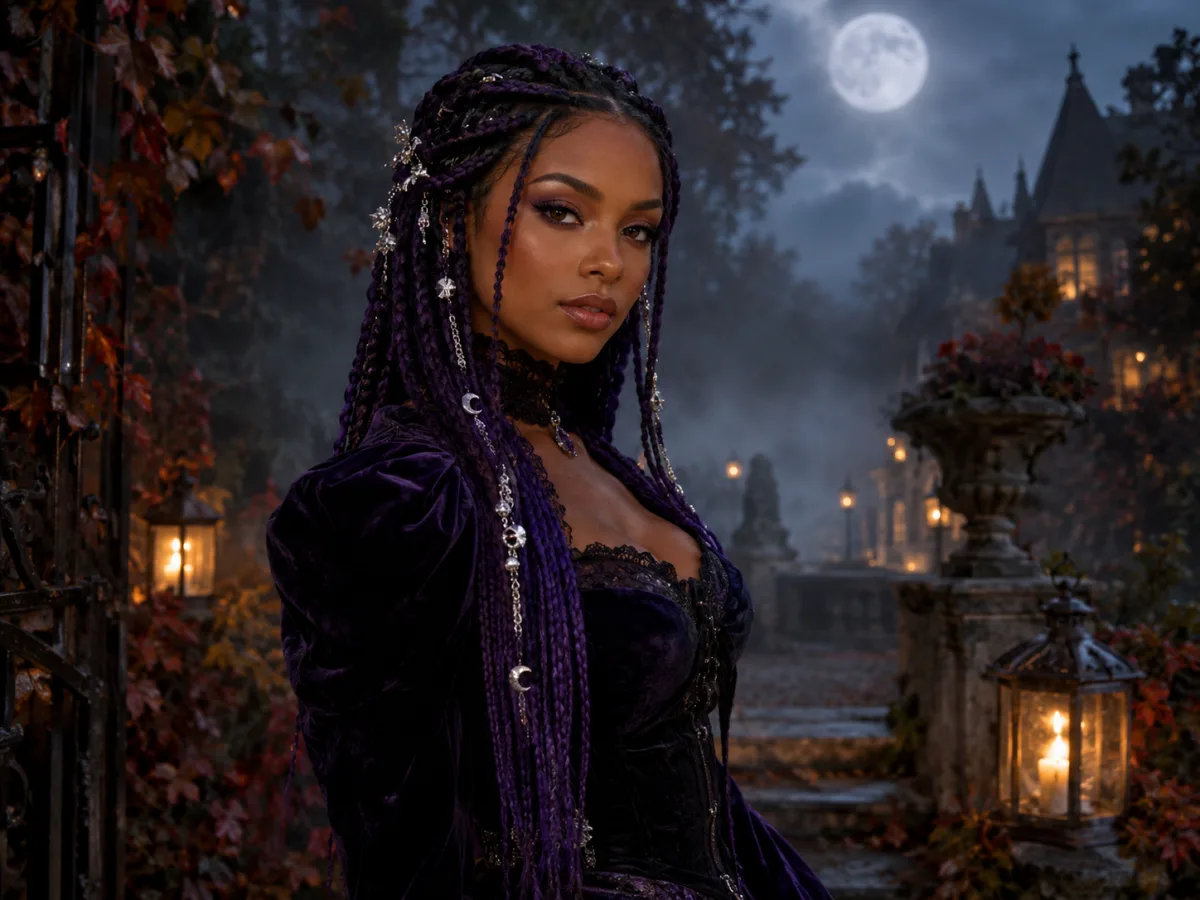
Original gothic Halloween portrait with long violet braids, a black velvet outfit and a moonlit garden background
Midnight Braids · Image generator

Quick answer

An AI Halloween costume generator edits a photo you already have and shows you in a costume before you buy or rent one. Upload a clear selfie, choose an original look such as Midnight Braids, Cosmic Princess or Halloween Robot, and the model keeps your face while changing the outfit, hair and background.

Written and tested by the Text to PSD product teamStandard image: 8 credits · Browser tools are free

Every example on this page was generated with GPT Image 2 using the same look described in the prompt. Example images are not customer photos.

Looks you can generate

The generator is built for real photos, not studio portraits. It works best when your face is visible, the photo is sharp, and you are the only person in the frame. Every example on this page was generated with the same prompts you can copy below.

Woman with long violet braids in a black and purple velvet Halloween costume in a moonlit garden

Midnight Braids

Long violet braids, silver hair jewelry and a black velvet look in a foggy Victorian garden. A gothic direction that keeps your face and pose.

Prompt recipe

Copy this prompt, open the workspace, upload your photo, and paste it into the prompt field.

Use the uploaded photo as the primary reference. Preserve the subject's recognizable facial identity, facial proportions, skin tone, approximate age and natural anatomy. Transform the subject into an original gothic Halloween fashion portrait. Change the hairstyle into long violet braids decorated with delicate silver hair accessories. Replace the clothing with an elegant black-and-purple velvet outfit featuring subtle lace and metallic details. Place the subject in a moonlit Victorian garden with soft fog, glowing lanterns and dark autumn foliage. Use photorealistic editorial photography, realistic fabric textures, natural skin details and cinematic soft lighting. Keep the same number of people as the uploaded photo. Avoid altered facial identity, extra limbs, duplicated fingers, distorted anatomy, text, logos and watermarks.
Try this look
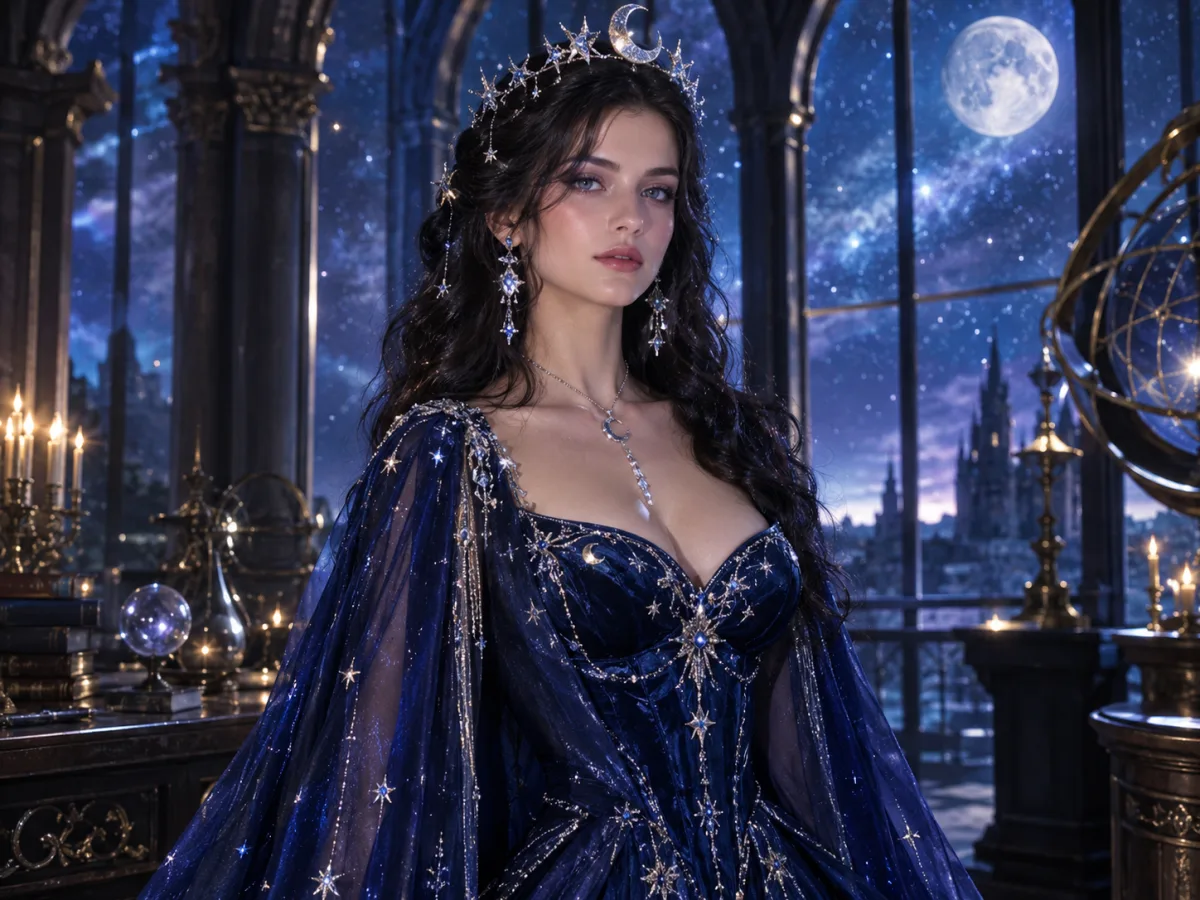
Celestial princess portrait with a midnight blue gown, silver moon crown and starry observatory background

Cosmic Princess

A midnight-blue gown with glowing star embroidery, a silver moon crown and a starlit observatory. Softer and more editorial than a classic princess costume.

Prompt recipe

Copy this prompt, open the workspace, upload your photo, and paste it into the prompt field.

Edit the uploaded photo into an original celestial Halloween princess portrait. Preserve the subject's recognizable face, natural skin texture, body proportions and pose. Replace the outfit with a midnight-blue fantasy gown featuring silver embroidery, softly glowing star patterns and realistic flowing fabric. Add a delicate silver moon crown and luminous accessories. Place the subject inside a moonlit observatory with a starry sky visible through tall windows. Use elegant fantasy fashion photography, realistic fabric details, cinematic rim lighting, and a deep-blue, silver and violet color palette. Keep the person recognizable and keep the same number of people. Avoid altered facial identity, extra people, distorted anatomy, text and watermarks.
Try this look
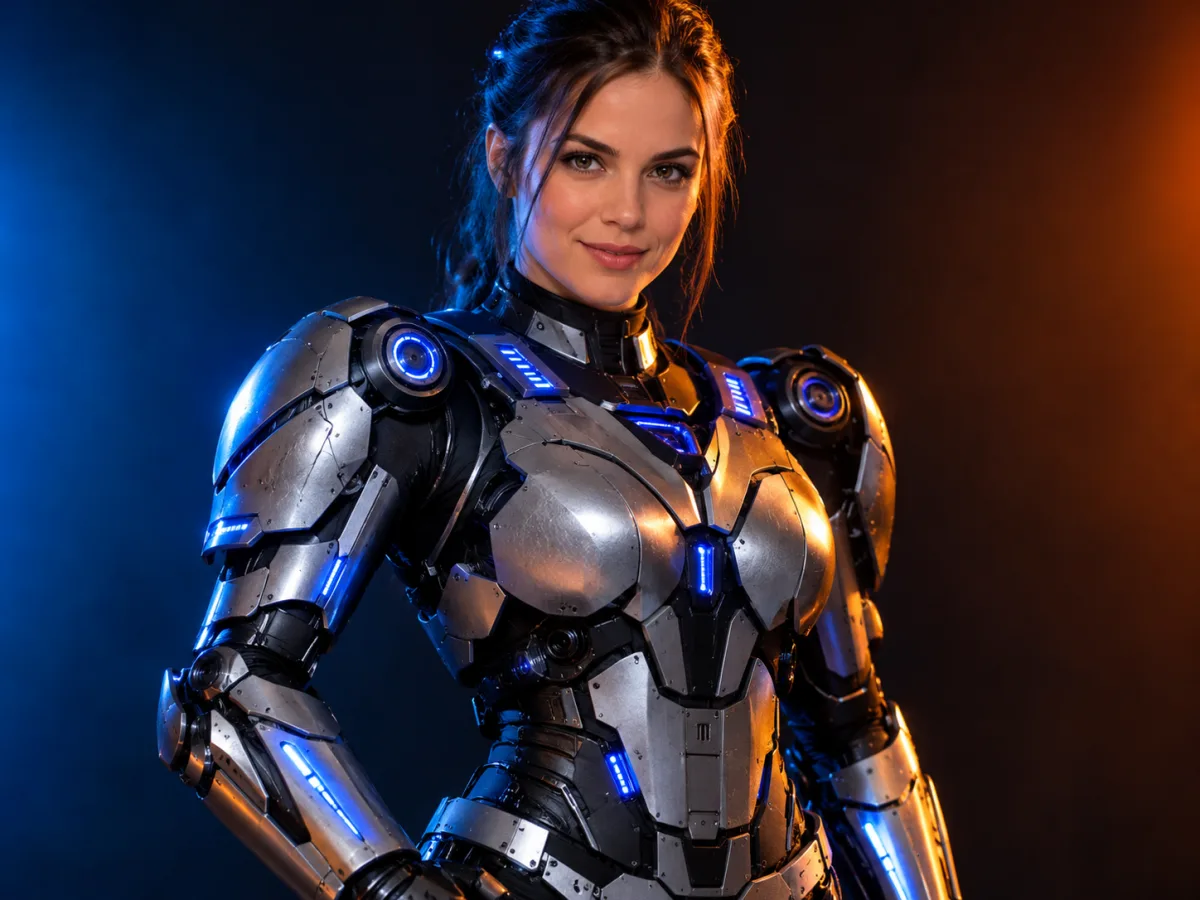
Futuristic Halloween robot costume portrait with metallic armor panels and blue LED accents

Halloween Robot

A wearable robot costume with metallic armor panels and blue LED accents. It reads as a costume on a real person, not a full CGI character.

Prompt recipe

Copy this prompt, open the workspace, upload your photo, and paste it into the prompt field.

Using the uploaded photo as reference, transform the subject into a futuristic Halloween robot costume portrait. Preserve the subject's recognizable face, skin tone, head proportions and original pose. Create a realistic wearable robot costume featuring metallic-looking armor panels, subtle blue LED accents and articulated shoulder pieces. The outfit should look like a believable costume worn by a real person, not a completely new mechanical character. Use dramatic blue-and-orange cinematic studio lighting and realistic material reflections. Do not replace the subject's face with a robot head. Keep the same number of people. Avoid extra limbs, distorted hands, duplicated body parts, logos and text.
Try this look

How it works

  1. Step 1

    Upload a clear photo

    A front-facing selfie or a well-lit portrait works best. Avoid heavy filters, sunglasses and group photos.

  2. Step 2

    Pick a look

    Choose one of the original presets or paste your own prompt. Each preset preserves your face and changes the costume, hair, makeup and scene.

  3. Step 3

    Generate and compare

    Run the image, then try a second look. Most people compare two or three directions before choosing a costume.

What an AI Halloween costume generator is good at

It is a preview tool, not a fitting room. The result helps you judge color, silhouette, makeup direction and overall mood. It cannot tell you how a specific fabric will feel or whether a costume will fit your body in real life.

The strongest use case is narrowing the shortlist. If you are choosing between a gothic braided look, a celestial princess gown and a wearable robot costume, three generated previews will tell you more than three hours of scrolling.

  • Compare silhouettes before renting or buying a costume
  • Test makeup and hair directions without a salon appointment
  • Build a matching couple or family concept
  • Create a party invitation or profile image

Original looks, not copied characters

Every preset on this page is an original direction. We do not reproduce film characters, mascot costumes or celebrity likenesses. That keeps the results usable for personal posts, invitations and small commercial projects without dragging a licensed character into your upload.

If you want a specific pop-culture reference, describe the visual qualities instead of the character name: silhouette, color palette, material, era and lighting. The model responds better to a description of what the image should look like than to a name it may not know.

How to get a believable result

Start with a photo where your face is evenly lit and clearly visible. A phone photo in daylight is usually better than a dark party photo with flash. Keep your hair away from your face if you want the model to change the hairstyle.

Use the prompt as written the first time. If the result is close but not right, change one variable at a time: the outfit color, the background or the lighting. Changing five things at once makes it hard to know what worked.

  • Say what must stay the same: face, skin tone, age and body proportions
  • Say what may change: hair, outfit, makeup and background
  • Name the lighting and camera style
  • List what to avoid: extra fingers, text, logos and watermarks

Privacy and consent

Upload a photo of yourself, or a photo you have permission to use. Do not upload images of other people without their consent. Review the Privacy Policy for retention and deletion details before uploading anything sensitive.

For children, use a parent or guardian account and avoid uploading school names, addresses or other identifying details in the background.

Who it is for

  • Choosing a Halloween costume without a fitting room
  • Testing gothic, celestial or robot makeup directions
  • Building a couple or family costume concept
  • Creating a party invitation or social profile image

Frequently asked questions

Do I need to upload a photo?

Yes for costume previews. The generator uses your photo as the identity reference so the result looks like you. Text-only generation is available in the AI image generator, but it will create a new person rather than a preview of you.

How long does it take?

Most image generations finish in about a minute. Queue time depends on the model and current load. If a task fails, contact support with the task id so the charge can be reviewed.

Will the result look exactly like me?

It keeps your recognizable face, skin tone and proportions, but it is an AI interpretation. Small changes in jawline, hairline or expression can happen. A clear, evenly lit photo gives the most faithful result.

Can I use the image commercially?

Personal use is straightforward. For commercial use, check the Terms of Service and make sure you own or have permission to use the source photo. Do not imply that a generated costume is an official licensed product.

Can I do a couple or a pet?

Yes. Couple previews work best with two clear photos and a prompt that says exactly two people. Pet previews need a photo where the animal's face, ears and markings are visible. See the dedicated couple and pet pages for tuned prompts.

How much does it cost?

You can browse the site and copy prompts without an account. Hosted generations use credits; a standard GPT Image 2 image costs 8 credits. Current packs and prices are on the Pricing page.

Use a photo of yourself or one you have permission to use. Do not upload images of other people without consent.

See yourself in the look before you buy it

Upload one photo, try an original costume direction, then compare a second look. No costume rental and no design software.