Image generatorUpdated Oct 20, 2026

Halloween Couple Costume Generator

Couple costumes are a coordination problem. The two outfits have to read as a pair without looking like a uniform. The photo has to keep both faces recognizable and the lighting consistent across two people.

  • Browse without signing up
  • Credit costs are shown before you generate
  • Works on desktop and mobile
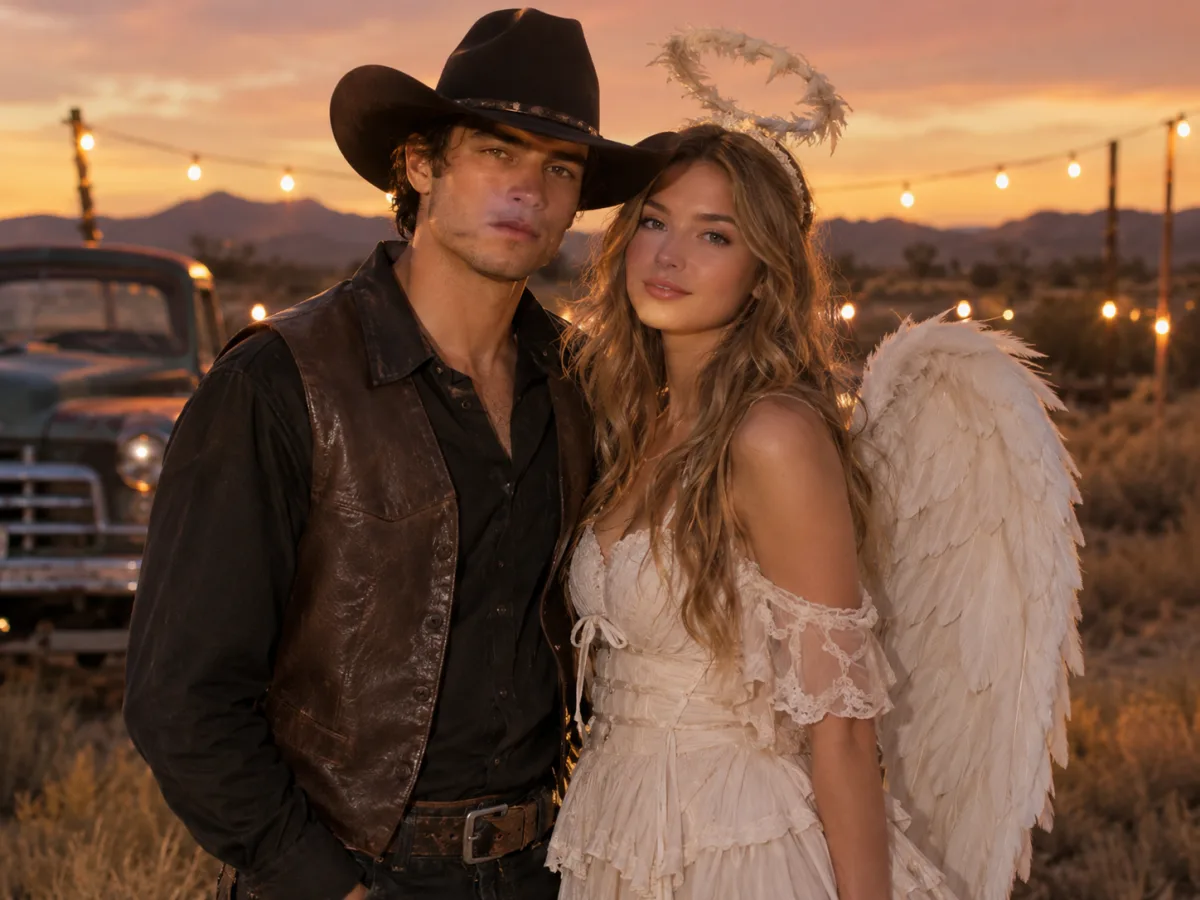
Couple in coordinated cowboy and angel Halloween costumes at dusk with warm string lights
Cowboy & Angel · Image generator

Quick answer

A Halloween couple costume generator uses two photos as identity references and creates one coordinated portrait. The hard part is keeping both faces recognizable and preventing the model from adding a third person. The prompts on this page state exactly two people and describe each costume separately.

Written and tested by the Text to PSD product teamStandard image: 8 credits · Browser tools are free

Every example on this page was generated with GPT Image 2 using the same look described in the prompt. Example images are not customer photos.

Looks you can generate

This page is built around multi-reference editing. Upload one photo per person, choose a pairing, and generate a single scene. If the model swaps faces or adds a third person, the prompt includes explicit constraints to prevent it.

Couple in cowboy and angel Halloween costumes at dusk with string lights

Cowboy & Angel

A dark western look paired with an ivory angel dress and feathered wings. Warm dusk light and a desert setting hold the two outfits together.

Prompt recipe

Copy this prompt, open the workspace, upload your photo, and paste it into the prompt field.

Use the two uploaded photos as identity references for two people. Keep both faces, skin tones, ages and body proportions recognizable, and keep exactly two people in the result. Create an original cowboy-and-angel couple costume portrait: one person in a dark western shirt, leather vest and wide-brim hat; the other in a soft ivory layered dress with feathered wings and a subtle halo. Place them side by side in a warm desert dusk with string lights, dry grass and a vintage truck blurred in the background. Use photorealistic editorial photography, consistent lighting across both faces, realistic fabric and feather textures. Do not swap the two identities or add a third person. Avoid distorted hands, extra limbs, text and watermarks.
Try this look
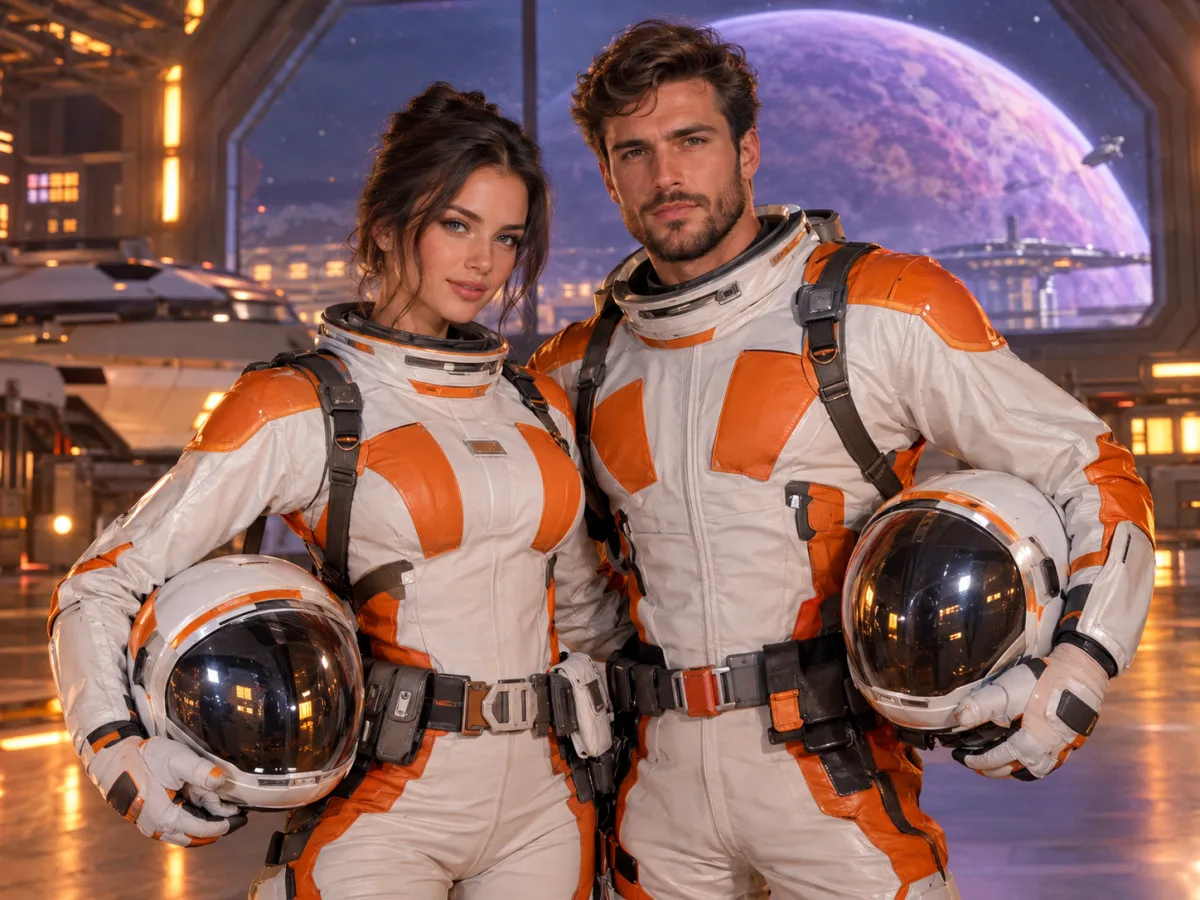
Couple in matching space ranger Halloween costumes in a futuristic hangar

Space Ranger Duo

Matching white-and-orange flight suits with soft armor and clear helmets. A clean sci-fi pairing that still looks like a costume.

Prompt recipe

Copy this prompt, open the workspace, upload your photo, and paste it into the prompt field.

Use the two uploaded photos as identity references for a couple Halloween portrait. Preserve both faces, skin tones and body proportions, and keep exactly two people. Create an original matching space-ranger costume set: fitted white-and-orange flight suits with soft armor panels, utility belts and clear helmets held under their arms. Place the couple in a retro-futuristic hangar with a large window showing a violet planet, warm console lights and gentle haze. Use cinematic editorial photography, realistic materials, consistent rim lighting on both faces and a balanced two-person composition. Do not swap identities, add a third person, copy an existing film uniform, or include text and watermarks.
Try this look

How it works

  1. Step 1

    Upload one photo per person

    Use a clear, front-facing photo for each person. Similar lighting and framing in both photos makes the final scene more consistent.

  2. Step 2

    Choose a pairing

    Pick Cowboy & Angel or Space Ranger Duo, or write a pairing where each costume is described separately.

  3. Step 3

    Check both faces

    Look at both faces before sharing. If one identity drifts, regenerate with the two photos in the opposite order or add a stronger preservation sentence.

Why couple edits fail

The two most common failures are face swapping and a third person appearing in the background. Both happen when the prompt is vague about how many people are in the scene and which photo belongs to which person.

A good couple prompt states exactly two people, describes each costume separately and says do not swap identities. It also keeps the background simple so the model has fewer places to invent a person.

  • State exactly two people
  • Describe each costume in a separate sentence
  • Say do not swap the two identities
  • Keep the background simple and uncluttered

Making the two photos match

If one photo is warm indoor light and the other is cool outdoor shade, the final scene will struggle to look natural. Ask for a consistent light direction and a shared color grade, or use two photos taken in similar conditions.

Framing matters too. A close-up and a full-body photo are hard to combine. Use two portraits with similar crop and camera height for the cleanest result.

Pairings that photograph well

The strongest pairings have a clear contrast: light and dark, structured and soft, earthly and celestial. Cowboy and angel works because the silhouettes are different but the color palette can be shared. Space ranger duo works because the matching uniforms create a natural pair.

Avoid pairings where both costumes are visually busy. If both outfits have heavy patterns, the image becomes noisy and the faces lose priority.

A third person, a pet or a group

For a group, generate the couple first and add one person at a time. Asking for four or five people in one pass makes identity drift much more likely. For a pet, use the pet costume page and combine the best images afterward.

If you need a family photo, start with the two adults, then add each child in a separate pass. More passes, fewer retries.

Who it is for

  • Choosing a matching costume before buying two outfits
  • Making a save-the-date or party invitation image
  • Testing a light-and-dark costume pairing
  • Creating a coordinated photo without a photographer

Frequently asked questions

How many photos do I need?

Two, one per person. A third reference photo can help if one person's face is partially covered, but two clear front-facing photos are usually enough.

Why did the faces swap?

The model can confuse two identities when the photos have similar framing or lighting. Regenerate with the photos in the opposite order, add a sentence that names left and right, or generate each person separately and combine later.

Can I add a pet or a child?

Yes, but do it in separate passes. Generate the couple first, then add the pet or child with a new prompt. Group edits in one pass are much more likely to drift.

Can we use the image as a save-the-date?

For personal use, yes. If you print or distribute it, make sure both people consent and check the Terms of Service. Avoid implying that a generated costume is an official licensed product.

What if one person does not want their photo used?

Do not upload it. Consent is required for every person in the source photos. Use a photo you have permission to use, or generate a text-only concept instead.

How much does a couple image cost?

A hosted image generation costs the same as a single image, typically 8 credits for a standard GPT Image 2 render. If a task fails, contact support with the task id so the charge can be reviewed.

Use a photo of yourself or one you have permission to use. Do not upload images of other people without consent.

One scene, two faces, one coordinated look

Upload two photos and generate a matching costume portrait you can use for invitations or a party post.