Image generatorUpdated Oct 20, 2026

AI Image Generator Black Friday 2026

Most Black Friday AI image offers are not really about the model. They are about the credit math: how many usable images you get after retries, at what resolution, with which editing features. A 50 percent discount on a pack you never finish is not a discount.

  • Browse without signing up
  • Credit costs are shown before you generate
  • Works on desktop and mobile
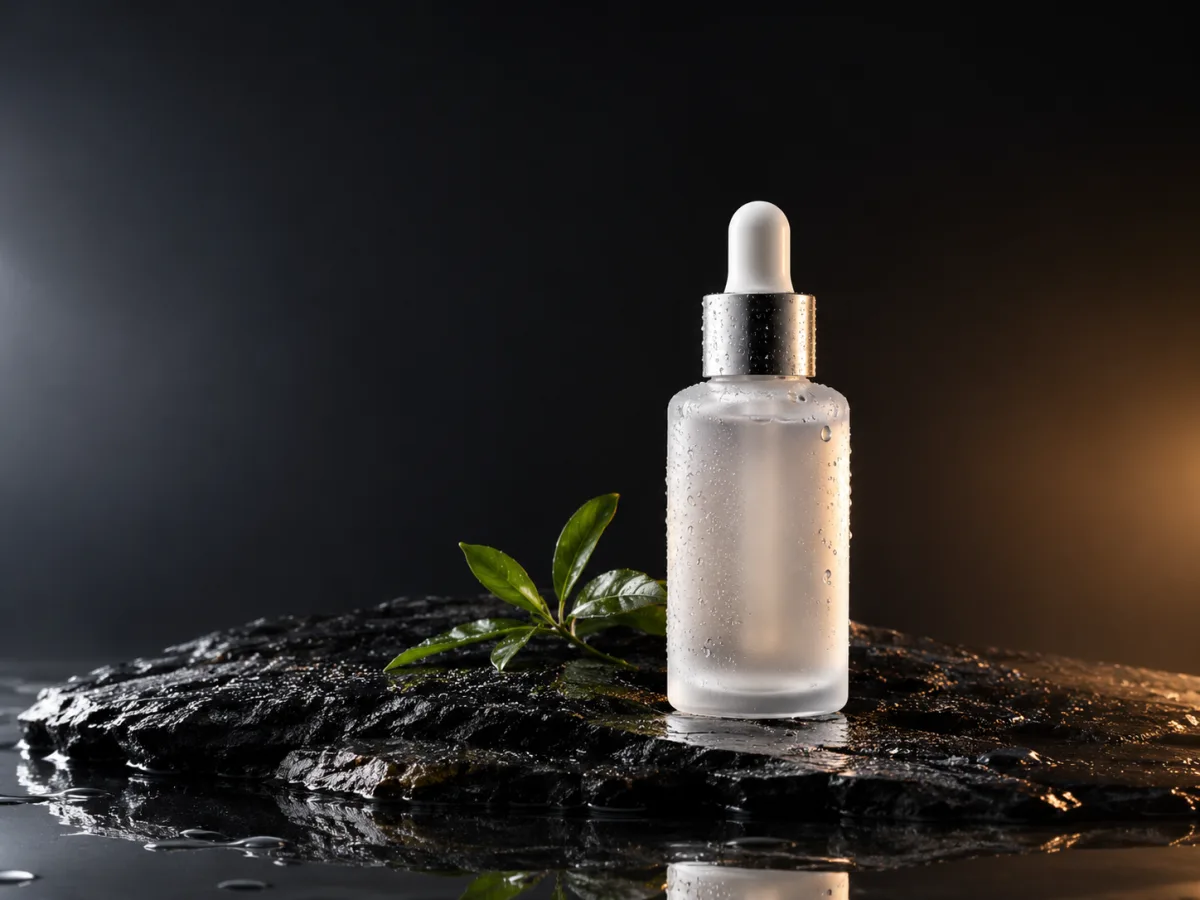
Clean commercial hero photograph of a frosted glass skincare bottle on wet black stone
Product Hero · Image generator

Quick answer

If you are comparing AI image generators before Black Friday, focus on the cost per usable image, not the headline discount. At Text to PSD, a standard GPT Image 2 render costs 8 credits, and a one-time pack starts at 500 credits, which is enough for dozens of test images.

Written and tested by the Text to PSD product teamStandard image: 8 credits · Browser tools are free

Every example on this page was generated with GPT Image 2 using the same look described in the prompt. Example images are not customer photos.

Looks you can generate

This page breaks down what the image workspace does, what a credit buys and how to test it before you commit. It is written for buyers who want a clear comparison, not a countdown timer.

Commercial product hero image of a frosted glass bottle on wet black stone

Product Hero

A clean commercial product image with controlled reflections and space for a headline. A realistic first test for ecommerce work.

Prompt recipe

Copy this prompt, open the workspace, upload your photo, and paste it into the prompt field.

Create a clean commercial hero image of a frosted glass skincare bottle on a wet black stone slab. Use soft studio rim lighting from the left, a subtle warm highlight from the right, fine water droplets, a dark gradient background and a faint reflection. The product should look premium and realistic, with crisp label-free glass, natural shadows and a shallow depth of field. Leave negative space at the top. No text, no logos and no watermarks.
Try this look
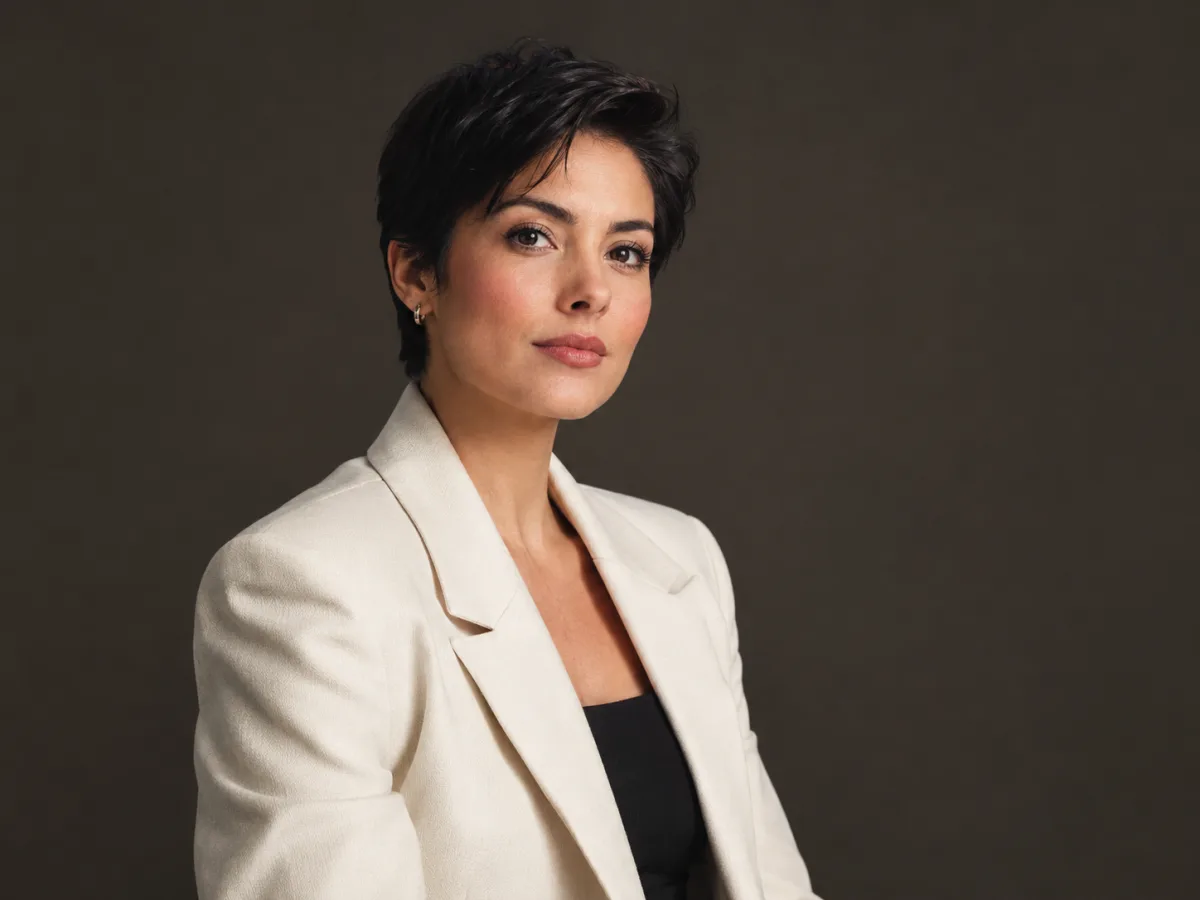
Studio editorial portrait with soft key light and a warm grey background

Editorial Portrait

A studio portrait with soft key light and natural skin texture. A good test for people, fashion and profile imagery.

Prompt recipe

Copy this prompt, open the workspace, upload your photo, and paste it into the prompt field.

Studio editorial portrait of a person with short dark hair, wearing a structured cream blazer over a black top. Use a soft large key light, a gentle silver reflector and a deep warm-grey background. Keep the expression calm and confident, the skin texture natural and the fabric details crisp. Compose at eye level with a slight three-quarter turn and enough negative space for a headline. Photorealistic fashion photography, no text, no logos, no watermarks.
Try this look

How it works

  1. Step 1

    Test the model on your own subject

    Generate one product or portrait that looks like your real work. A pretty demo image does not prove the model can handle your product.

  2. Step 2

    Count the retries

    Budget for two or three attempts per usable image. A model that is cheaper per render but needs five retries is not cheaper.

  3. Step 3

    Check the editing path

    If you need to keep a product label or a person's face, test image-to-image editing, not only text-to-image.

What the image workspace can do

The workspace supports text-to-image and image-to-image editing. Text-to-image is for concepts, backgrounds, product scenes and editorial portraits. Image-to-image is for keeping a subject and changing the outfit, background, lighting or style.

The model picker includes several image models with different strengths and credit costs. GPT Image 2 is the standard for prompt adherence and editing; other models may be cheaper for high-volume drafts. The exact model list and price are shown in the workspace.

  • Text-to-image for concepts and scenes
  • Image-to-image for edits that preserve a subject
  • Multiple aspect ratios for social, print and web
  • Resolution options that change the credit cost

The real cost per usable image

A standard GPT Image 2 render costs 8 credits. A 500-credit pack is about 62 renders before retries. If a typical project needs two attempts per usable image, that is roughly 31 usable images.

That math is more useful than a percentage discount. Compare packs by usable output for your workload, not by the size of the number in the marketing banner.

What to test before Black Friday

Test three things: a product shot with a real label, a portrait with a real face, and an edit that changes the background but keeps the subject. If all three work, the model fits your workflow. If one fails, no discount fixes it.

Also test the export size and aspect ratio you actually need. A model that looks great at square draft size may behave differently at a wide banner ratio.

A note on fake urgency

A countdown that resets every day is not a deadline. A crossed-out price that was never charged is not a discount. If a seasonal offer is active, this page will state the dates and the eligible packs. Otherwise, the listed price is the price.

The best Black Friday purchase is the one you would also make in March because the product fits your work. Start with a small pack, finish a real project, then decide whether to scale.

Who it is for

  • Comparing image generators by cost per usable image
  • Testing product and portrait workflows before buying
  • Budgeting a holiday campaign
  • Choosing between text-to-image and image editing

Frequently asked questions

Is there a Black Friday sale on image credits?

Any active offer is stated on this page and on the Pricing page with dates and eligibility. If no offer is shown, the current listed price applies. We do not run a permanent fake discount.

How many images can I make with 500 credits?

A standard GPT Image 2 image costs 8 credits, so 500 credits cover about 62 renders before retries. If you need two attempts per usable image, plan for roughly 31 usable images.

Can I keep a product label or a face?

Use image-to-image editing and a prompt that says what must stay the same. Text-to-image creates a new subject, which is not suitable when a specific label or identity must remain accurate.

Do unused credits expire?

Credits have a stated validity that depends on the pack or plan. The validity is shown before purchase, and existing credits keep their original validity when you buy again.

Can I use the images commercially?

Commercial use is allowed within the Terms of Service. Make sure you own or have permission to use any source photo and do not imply an official brand association.

What if the image is not good enough?

Change one variable at a time: model, prompt, aspect ratio or reference image. If a task fails or the result is consistently poor, contact support with the task id and we will review the charge and the result.

Use a photo of yourself or one you have permission to use. Do not upload images of other people without consent.

Test the image workflow before you buy

Generate one real product or portrait, count the attempts it takes, then choose the pack that matches the result.