Image generatorUpdated Oct 20, 2026

Cyber Monday AI Deals 2026

Cyber Monday is the second wave of the same shopping weekend. If you missed Black Friday, you did not miss much: the useful question is the same. What will you make, how many attempts will it take, and which pack covers that without leaving unused credits?

  • Browse without signing up
  • Credit costs are shown before you generate
  • Works on desktop and mobile
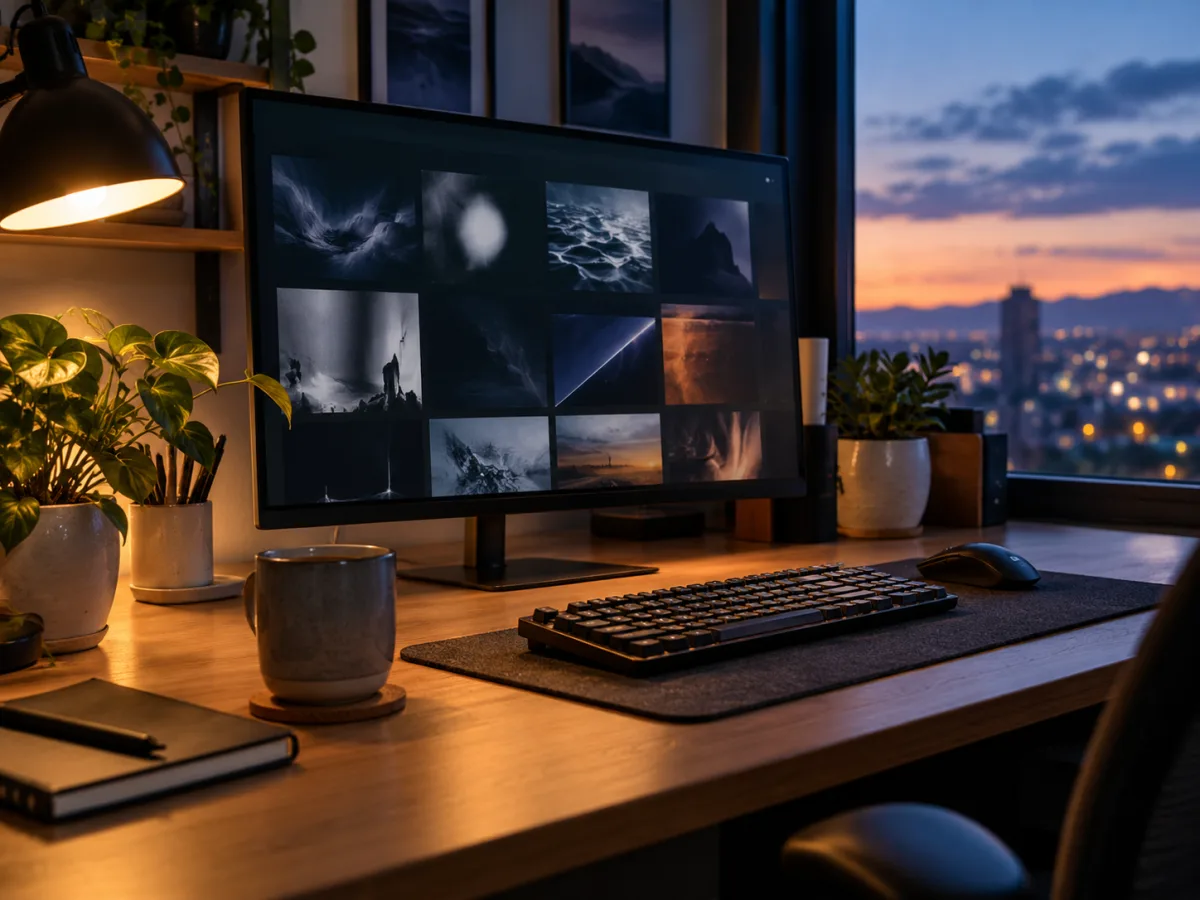
Creator workspace at dusk with a monitor showing an abstract image grid and warm desk light
Creator Workspace · Image generator

Quick answer

Cyber Monday 2026 is November 30. The best AI deal is not always the largest pack; it is the pack that matches a project you will actually finish. This guide explains what Text to PSD includes, how image and video credits are spent, and how to choose without overbuying.

Written and tested by the Text to PSD product teamStandard image: 8 credits · Browser tools are free

Every example on this page was generated with GPT Image 2 using the same look described in the prompt. Example images are not customer photos.

Looks you can generate

This page is a buying guide, not a countdown. It explains the product, the credit costs and the decision between a one-time pack and a plan. Current prices are always on the Pricing page.

Creator workspace at dusk with a monitor, keyboard and warm desk lamp

Creator Workspace

A calm desk scene with a monitor, keyboard and warm lamp light. A useful test for tech, SaaS and lifestyle imagery.

Prompt recipe

Copy this prompt, open the workspace, upload your photo, and paste it into the prompt field.

Photograph a tidy creator workspace at dusk: a large monitor showing an abstract dark image grid, a mechanical keyboard, a ceramic mug and a small plant. Use warm desk-lamp light mixed with cool window light, realistic cable management and a shallow depth of field. The screen content must be abstract and unreadable, with no text, logos or watermarks. Premium editorial tech photography, calm and aspirational mood.
Try this look
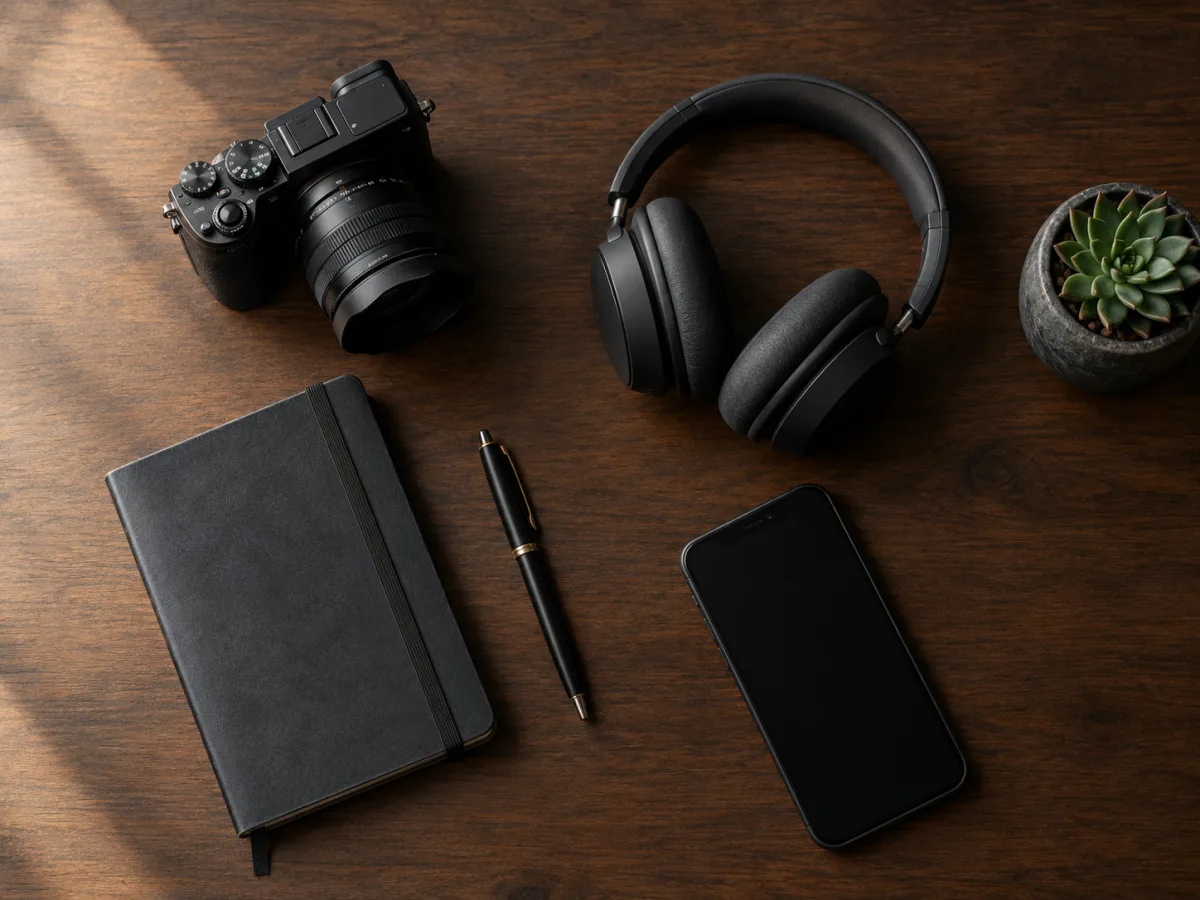
Top-down flat lay of camera, headphones and notebook on a dark wood desk

Tech Flat Lay

A top-down gear layout with a camera, headphones and a notebook. A clean test for product roundups and editorial tech content.

Prompt recipe

Copy this prompt, open the workspace, upload your photo, and paste it into the prompt field.

Top-down flat lay of creator gear on a dark walnut desk: a mirrorless camera, a closed notebook, a pen, over-ear headphones, a smartphone with a blank screen and a small succulent. Use soft diffused daylight from the left, realistic shadows and a restrained charcoal-and-amber palette. Arrange the objects with generous negative space and clean geometry. No text, no logos, no watermarks.
Try this look

How it works

  1. Step 1

    Define one project

    Pick a real deliverable: ten product images, one hero video, a week of social posts. A vague plan leads to an unused pack.

  2. Step 2

    Estimate credits

    An image is about 8 credits; a five-second 720p clip is about 50. Add two or three attempts per usable result.

  3. Step 3

    Choose the smallest pack that fits

    Upgrade after the project works, not before. The cheapest credit is the one you use.

What you can make with Text to PSD

On the image side: product shots, editorial portraits, social images, backgrounds and costume or seasonal portraits. On the video side: short product clips, portrait animations and image-to-video sequences. The free browser tools cover conversion, compression and quick file prep.

The product is designed for a usable result, not a full production suite. If you need a native layered PSD, a long-form edit or a complex 3D scene, this is not the right tool for that step.

  • Product and editorial images
  • Seasonal and costume portraits
  • Short image-to-video clips
  • Free browser tools for file prep

One-time pack or plan

A one-time pack is better for a defined project or a first test. You are not committing to a renewal, and you can let the credits last as long as their validity allows.

A monthly or annual plan is better when you generate every week. The effective monthly price is lower, but only if you actually use the credits. Do not buy a year of capacity for a two-week project.

The hidden cost of unused credits

A large pack with a low per-credit price can still be the most expensive option if half of it expires unused. The right comparison is cost per finished deliverable, not cost per credit.

Write down the project, the number of deliverables and the expected retry rate. That simple estimate is more accurate than any discount percentage.

How to evaluate any AI deal

Check four things: the real price at checkout, the credit cost per output, the validity window and the refund policy. If any of those is unclear, ask support before paying.

A good deal survives a boring question: what will I make with this, and when? If you cannot answer, wait. The product will still be here after the sale.

Who it is for

  • Choosing a first AI credit pack
  • Budgeting a holiday content calendar
  • Comparing a one-time pack with a subscription
  • Planning image and video output for a launch

Frequently asked questions

When is Cyber Monday 2026?

Cyber Monday 2026 is November 30, the Monday after Black Friday. Seasonal offers may start earlier in November and end around the holiday weekend.

Is there a Cyber Monday discount?

Any active offer will be stated on this page and on the Pricing page with dates and eligibility. If no offer is shown, the current listed price applies.

What is the smallest useful purchase?

The smallest one-time pack is 500 credits. That covers about 62 standard GPT Image 2 renders, or about ten five-second 720p video clips, before retries.

Do credits roll over?

Credits have a stated validity that depends on the pack or plan. They do not roll over beyond that window. The validity is shown before purchase.

Can I upgrade later?

Yes. You can buy another pack or move to a plan when your workload grows. Existing credits keep their original validity.

What if I only need one image?

Browse the public pages and copy a prompt first. If you need to generate, the smallest pack is the simplest next step. There is no requirement to subscribe.

Use a photo of yourself or one you have permission to use. Do not upload images of other people without consent.

Buy for the project, not for the banner

Estimate what you need, choose the smallest pack that covers it and keep the rest for the next idea.